KI LERNEN · MODULAR · PRAXISNAH · BETREUTLEARN AI · MODULAR · PRACTICAL · GUIDED
KI-Schulungen für alle, die KI lernen wollenAI training for everyone who wants to learn AI
ewando macht künstliche Intelligenz verständlich und anwendbar: für Einsteiger, Fortgeschrittene, Selbstständige, Teams und alle, die KI im Alltag oder Beruf sicher nutzen möchten.ewando makes artificial intelligence understandable and usable: for beginners, advanced learners, freelancers, teams and anyone who wants to use AI confidently in everyday life or work.
Klartext: so hilft ewando beim KI-LernenIn plain words: how ewando helps you learn AI
01 / DREI BAUSTEINETHREE BUILDING BLOCKS
01
Aufbauender LernwegProgressive learning path
16 aufeinander aufbauende Module führen von den Grundlagen über Prompting, Content und Automatisierung bis zum eigenen Praxisprojekt.Sixteen consecutive modules lead from fundamentals through prompting, content and automation to an individual practical project.
02
Support & TutorSupport & tutor
Lernen soll nicht allein gelassen wirken. Fragen zu Tools, Prompts, Ergebnissen oder Lernzielen werden begleitet und verständlich beantwortet.Learning should not feel lonely. Questions about tools, prompts, results or learning goals are guided and answered clearly.
03
Praxis statt TheoriePractice over theory
Der Fokus liegt auf echten Anwendungen: bessere Prompts schreiben, Inhalte erstellen, Workflows verstehen und KI sinnvoll in den eigenen Alltag bringen.The focus is on real use: writing better prompts, creating content, understanding workflows and bringing AI into your own routines.
KI-Praxisführerschein ProfessionalAI Skills Certificate Professional
Wählen Sie einzelne Module oder stellen Sie die vollständige Weiterbildung zusammen. Jedes Modul umfasst 8 Unterrichtseinheiten und kostet 29 €.Choose individual modules or build the complete training programme. Each module includes eight lessons and costs €29.
02 / 16 MODULE · JE 8 UE · JE 29 €16 MODULES · 8 LESSONS EACH · €29 EACH
KI verstehen – Grundlagen ohne FachchinesischUnderstanding AI – fundamentals without jargon
Grundbegriffe, Funktionsweise, Einsatzmöglichkeiten und Grenzen künstlicher Intelligenz verständlich kennenlernen.Learn the basic concepts, functionality, applications and limitations of artificial intelligence.
Ergebnis: persönliche KI-Einsatzlandkarte.Outcome: personal AI application map.
02 / GRUNDLAGENFUNDAMENTALS · 8 UE8 LESSONS
KI-Werkzeuge sicher bedienenUsing AI tools safely
KI-Assistenten, Modelle, Benutzeroberflächen, Dateien und Einstellungen kennenlernen und geeignete Werkzeuge auswählen.Explore AI assistants, models, interfaces, files and settings and select suitable tools.
Recherchieren und Fakten prüfen mit KIResearch and fact-checking with AI
KI-gestützte Recherche, Quellenbewertung, Halluzinationen, Aktualität und Verifikation praktisch beherrschen.Apply AI-assisted research, source evaluation, hallucination detection and verification.
Ergebnis: geprüfter Recherchebericht.Outcome: verified research report.
06 / KOMMUNIKATIONCOMMUNICATION · 8 UE8 LESSONS
Texte, E-Mails und Dokumente erstellenCreating texts, emails and documents
Geschäftliche E-Mails, Berichte, Angebote, Anleitungen, Protokolle und Texte mit KI erstellen und optimieren.Create and improve business emails, reports, proposals, instructions, minutes and other texts with AI.
Ergebnis: persönlicher Schreibworkflow.Outcome: personal writing workflow.
07 / MARKETING · 8 UE8 LESSONS
KI für Marketing und Social MediaAI for marketing and social media
Zielgruppen, Contentpläne, Social-Media-Beiträge, Newsletter und Landingpage-Texte entwickeln.Develop target groups, content plans, social media posts, newsletters and landing-page copy.
Bilder, Präsentationen, Audio und Video mit KIImages, presentations, audio and video with AI
Bildprompts, Präsentationskonzepte, Sprechertexte sowie Audio- und Videoinhalte mit KI entwickeln.Develop image prompts, presentation concepts, voice-over scripts, audio and video content with AI.
Ergebnis: kleine Multimedia-Kampagne.Outcome: small multimedia campaign.
09 / DATENDATA · 8 UE8 LESSONS
KI für Tabellen und DatenanalyseAI for spreadsheets and data analysis
Daten vorbereiten, Formeln verstehen, Informationen auswerten und Ergebnisse verständlich visualisieren.Prepare data, understand formulas, analyse information and present results clearly.
Ergebnis: Datenanalyse mit Management-Zusammenfassung.Outcome: data analysis with an executive summary.
10 / PRODUKTIVITÄTPRODUCTIVITY · 8 UE8 LESSONS
KI im Büro- und ArbeitsalltagAI in everyday office work
Besprechungen, Protokolle, Aufgabenplanung, Wissensaufbereitung und wiederkehrende Büroarbeiten unterstützen.Support meetings, minutes, task planning, knowledge preparation and recurring office work.
Ergebnis: individuell eingerichteter KI-Arbeitsplatz.Outcome: individually configured AI workplace.
11 / AUTOMATISIERUNGAUTOMATION · 8 UE8 LESSONS
No-Code-Automatisierung mit KINo-code automation with AI
Auslöser, Aktionen, Datenflüsse, Freigaben und Fehlerbehandlung ohne Programmierung verbinden.Connect triggers, actions, data flows, approvals and error handling without programming.
Ergebnis: erster automatisierter Arbeitsablauf.Outcome: first automated workflow.
12 / ASSISTENTENASSISTANTS · 8 UE8 LESSONS
Eigene KI-Assistenten und WissenssystemeCustom AI assistants and knowledge systems
Assistenten konfigurieren, eigene Dokumente verwenden und Grundlagen von RAG und Zugriffsrechten verstehen.Configure assistants, use internal documents and understand the basics of RAG and access control.
Ergebnis: Prototyp eines eigenen Fachassistenten.Outcome: prototype of a specialised assistant.
13 / SICHERHEITSECURITY · 8 UE8 LESSONS
Datenschutz, IT-Sicherheit und sichere KI-NutzungData protection, cybersecurity and safe AI use
Einen realen KI-Anwendungsfall planen, entwickeln, testen, verbessern und nachvollziehbar dokumentieren.Plan, develop, test, improve and document a real AI use case.
Ergebnis: funktionsfähiger und dokumentierter KI-Workflow.Outcome: functional and documented AI workflow.
16 / ABSCHLUSSCOMPLETION · 8 UE8 LESSONS
Transfer und KompetenznachweisTransfer and skills assessment
Nutzen bewerten, Risiken erkennen, Umsetzung planen und das persönliche Abschlussprojekt präsentieren.Assess benefits, identify risks, plan implementation and present the final practical project.
Ergebnis: 30-Tage-Umsetzungsplan und praktischer Kompetenznachweis.Outcome: 30-day implementation plan and practical skills assessment.
03 / SECURITY · AI ACT
KI-Kompetenz bedeutet auch VerantwortungAI literacy also means responsibility
Die Weiterbildung vermittelt nicht nur die praktische Bedienung moderner KI-Werkzeuge. Die Teilnehmenden lernen auch, sensible Informationen zu schützen, Risiken zu erkennen und KI-Ergebnisse vor ihrer Verwendung kritisch zu überprüfen.The programme covers more than the practical use of modern AI tools. Participants also learn how to protect sensitive information, identify risks and critically review AI-generated results before using them.
Das Bundesamt für Sicherheit in der Informationstechnik empfiehlt, Nutzende für Chancen, Risiken, sensible Daten, mögliche Qualitätsprobleme und Angriffsmöglichkeiten generativer KI zu sensibilisieren.Germany’s Federal Office for Information Security recommends making users aware of the opportunities and risks of generative AI, including sensitive data, output quality and possible attack vectors.
Die Verpflichtung zur Förderung von KI-Kompetenz nach Artikel 4 des EU AI Acts gilt seit dem 2. Februar 2025. Geeignete Maßnahmen sollen sich unter anderem am vorhandenen Wissen der beteiligten Personen und am konkreten Einsatzkontext orientieren.The obligation to promote AI literacy under Article 4 of the EU AI Act has applied since 2 February 2025. Appropriate measures should reflect the participants’ existing knowledge and the specific context in which AI is used.
Die Weiterbildung unterstützt beim Aufbau praktischer KI-Kompetenz. Sie ersetzt keine individuelle Rechtsberatung und stellt keine Garantie für die vollständige Erfüllung gesetzlicher Anforderungen dar.The programme supports the development of practical AI literacy. It does not replace individual legal advice and does not guarantee full compliance with every legal requirement.
03 / LERNUMGEBUNGLEARNING ENVIRONMENT
Ein Ort, an dem KI verständlich wirdA place where AI becomes understandable
Für verschiedene LernniveausFor different learning levels
Einsteiger starten bei den Grundlagen. Fortgeschrittene vertiefen Prompts, Tools, Workflows und konkrete Anwendungsfälle.Beginners start with the fundamentals. Advanced learners deepen prompts, tools, workflows and concrete use cases.
Lernen in kleinen ModulenLearning in small modules
Jedes Modul behandelt ein klares Thema und baut nachvollziehbar auf den vorherigen Lernschritten auf.Each module covers a clear topic and builds logically on the previous learning steps.
Direkt anwendbarDirectly applicable
Die Übungen orientieren sich an echten Aufgaben: Texte, Bilder, Recherche, Planung, Automatisierung und bessere Entscheidungen mit KI.Exercises are based on real tasks: text, images, research, planning, automation and better decisions with AI.
[ ARCHITEKTURARCHITECTURE ]
05 / FÜR WENFOR WHOM
Für alle, die KI verstehen und nutzen möchtenFor everyone who wants to understand and use AI
/ EINSTEIGERBEGINNERS
Menschen ohne VorwissenPeople without prior knowledge
Ein verständlicher Einstieg in KI, ohne Fachjargon und ohne vorausgesetztes Technikstudium.A clear start into AI without jargon and without requiring a technical background.
/ BERUF & ALLTAGWORK & LIFE
Selbstständige, Berufstätige und TeamsFreelancers, professionals and teams
Praxisnahe KI-Kompetenz für Texte, Ideen, Recherche, Planung, Kommunikation und wiederkehrende Aufgaben.Practical AI skills for text, ideas, research, planning, communication and recurring tasks.
/ VERTIEFUNGDEEPENING
Fortgeschrittene LernendeAdvanced learners
Wer bereits erste Tools nutzt, kann Prompts, Automatisierung, Workflows und eigene Anwendungsfälle gezielt vertiefen.Anyone already using initial tools can deepen prompts, automation, workflows and personal use cases.
Tutor, Ticketsystem und Online-Support für jeden KursTutor, ticketing and online support for every course
06 / TUTOR · TICKET · ONLINE
Persönlicher Tutor pro KursDedicated tutor per course
Ein Online-Tutor begleitet die Teilnehmenden, beantwortet inhaltliche Fragen und unterstützt bei Prompting, KI-Anwendungen und Transfer in den Arbeitsalltag.An online tutor supports learners, answers content questions and helps with prompting, AI applications and transfer into daily work.
Ticketsystem und Online-ErreichbarkeitTicketing and online availability
Fragen werden strukturiert im Ticketsystem erfasst und online beantwortet. So bleiben technische Themen, Kursfragen und Lernanliegen nachvollziehbar.Questions are captured in a ticket system and answered online. Technical topics, course questions and learner requests stay traceable.
Einfacher LernstartEasy learning start
Lernende starten bei den Grundlagen und bauen ihr KI-Verständnis entlang der 16 aufeinander aufbauenden Module Schritt für Schritt aus.Learners start with the fundamentals and build their understanding of AI step by step across the 16 consecutive modules.
Fortschritt, Übungen und Lernerfolge werden sichtbar. So bleibt KI-Lernen motivierend, nachvollziehbar und konkret.Progress, exercises and learning achievements become visible. This keeps AI learning motivating, traceable and concrete.
07 / GRÜNDER & CEO · KI-SCHULUNGENFOUNDER & CEO · AI TRAINING
Peter Kuhlmann
GRÜNDER & CEO · KI-SCHULUNGEN FÜR ALLEFOUNDER & CEO · AI TRAINING FOR EVERYONE
Peter Kuhlmann ist Gründer und CEO von ewando. Er entwickelt praxisnahe KI-Schulungen für Menschen, die künstliche Intelligenz verstehen, sicher einordnen und konkret anwenden möchten.Peter Kuhlmann is the Founder and CEO of ewando. He develops practical AI training for people who want to understand, assess and apply artificial intelligence confidently.
FAQ
08 / 3 FRAGENQUESTIONS
Für wen sind die KI-Schulungen gedacht?Who is the AI training for?
Für alle, die KI lernen möchten: Einsteiger, Fortgeschrittene, Selbstständige, Berufstätige, Teams und neugierige Menschen, die KI praktisch verstehen wollen.For anyone who wants to learn AI: beginners, advanced learners, freelancers, professionals, teams and curious people who want practical understanding.
Wie ist die Schulung aufgebaut?How is the training structured?
Die Gesamtqualifikation besteht aus 16 aufeinander aufbauenden Modulen mit jeweils 8 Unterrichtseinheiten. Sie führt von den KI-Grundlagen über Prompt Engineering, Recherche, Medien, Datenanalyse und Automatisierung bis zu Sicherheit, EU AI Act und einem eigenen Praxisprojekt.The complete programme consists of 16 consecutive modules with eight lessons each. It progresses from AI fundamentals through prompt engineering, research, media, data analysis and automation to security, the EU AI Act and an individual practical project.
Wie erreiche ich Support und Tutor?How do I reach support and my tutor?
Jeder Kurs erhält einen Tutor. Inhaltliche und technische Fragen laufen über Online-Support und Ticketsystem, damit Anfragen transparent bearbeitet werden.Every course gets a tutor. Content and technical questions are handled through online support and ticketing, so requests remain transparent.
COOKIES
Wir nutzen notwendige Cookies für den Betrieb der Plattform und, mit Ihrer Zustimmung, Statistik-Cookies, um Kurse und Inhalte zu verbessern. Details in der Datenschutzerklärung.We use essential cookies to run the platform and, with your consent, analytics cookies to improve courses and content. Details in our privacy policy.
Der Login ist in Vorbereitung.The login is coming soon.
Der persönliche Benutzerbereich für Kurszugänge, Lernfortschritt und Unterlagen wird derzeit eingerichtet.The personal user area for course access, learning progress and materials is currently being prepared.
NOCH NICHT VERFÜGBARNOT YET AVAILABLE
Einblick: so kann aufbauendes KI-Lernen aussehenPreview: what progressive AI learning can look like
Ein Einblick in Kursaufbau, Lernmodule, Inhalte und praktische KI-Übungen.A look into course structure, learning modules, content and practical AI exercises.
Software-Details: vom Login bis zum fertigen KursSoftware details: from login to a finished course
Der komplette Ablauf im Backend: Anmeldung, Kursgenerator, Modulstruktur, Screen-Bearbeitung und KI-Medien: alles in Originalansichten der Software.The full backend workflow: login, course generator, module structure, screen editing and AI media, shown in original views of the software.
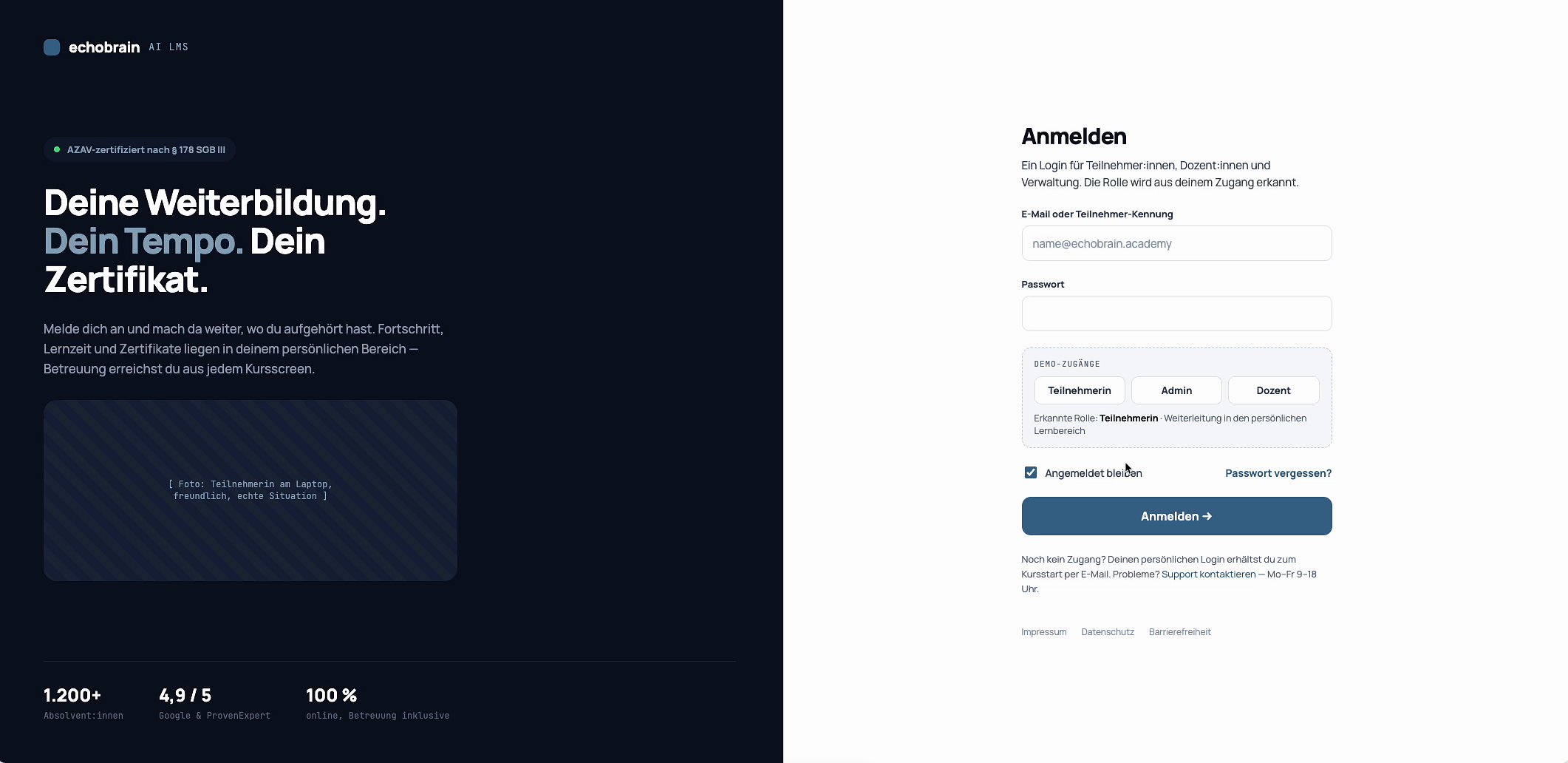
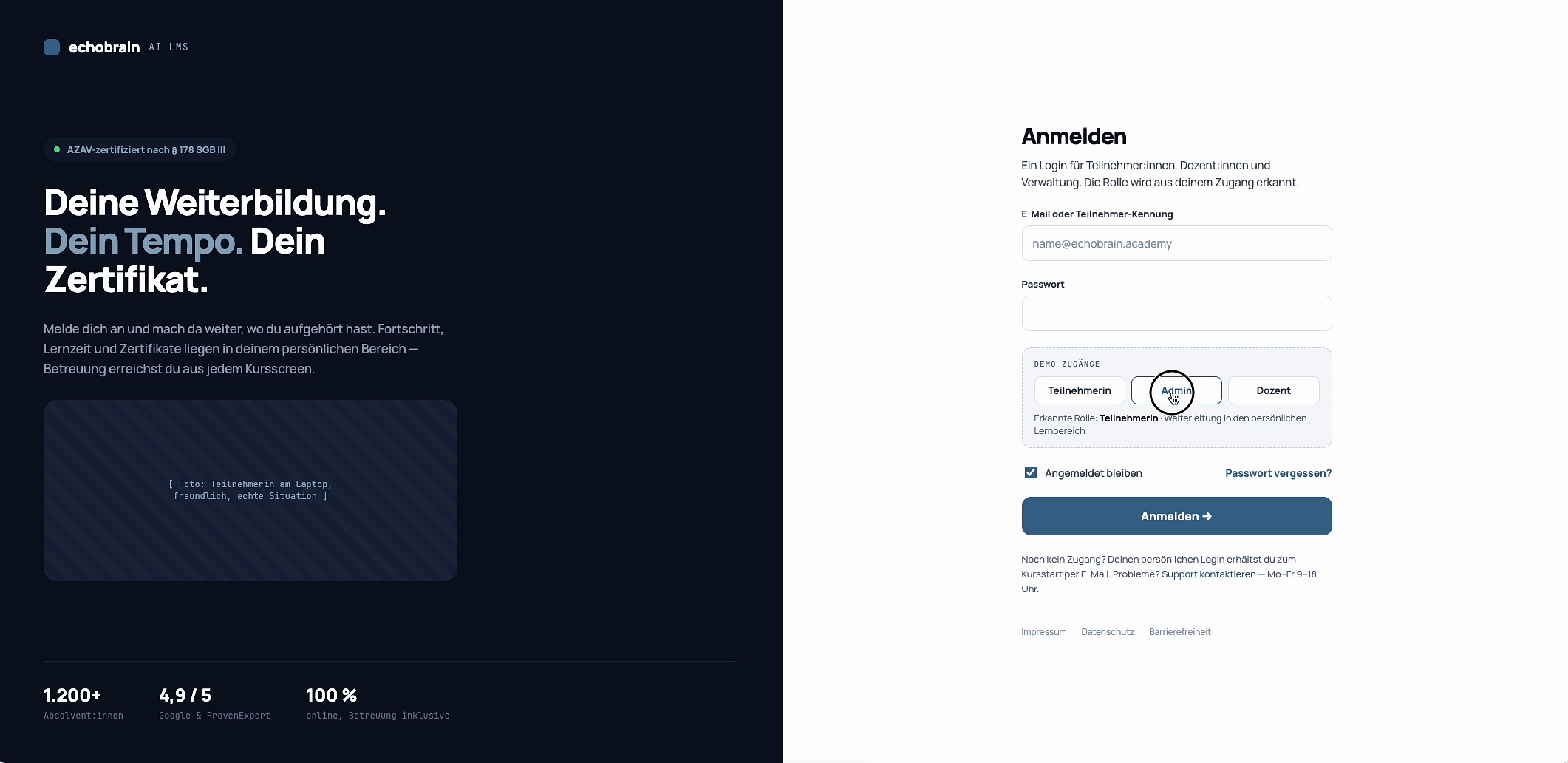
01
Login Screen
The initial login interface requires an email or participant ID, a password, and offers role selection buttons for “Teilnehmer”, “Admin” or “Dozent”.
02
Two-Factor Authentication
A security step requiring a six-digit code from an authenticator app to proceed after successful login.
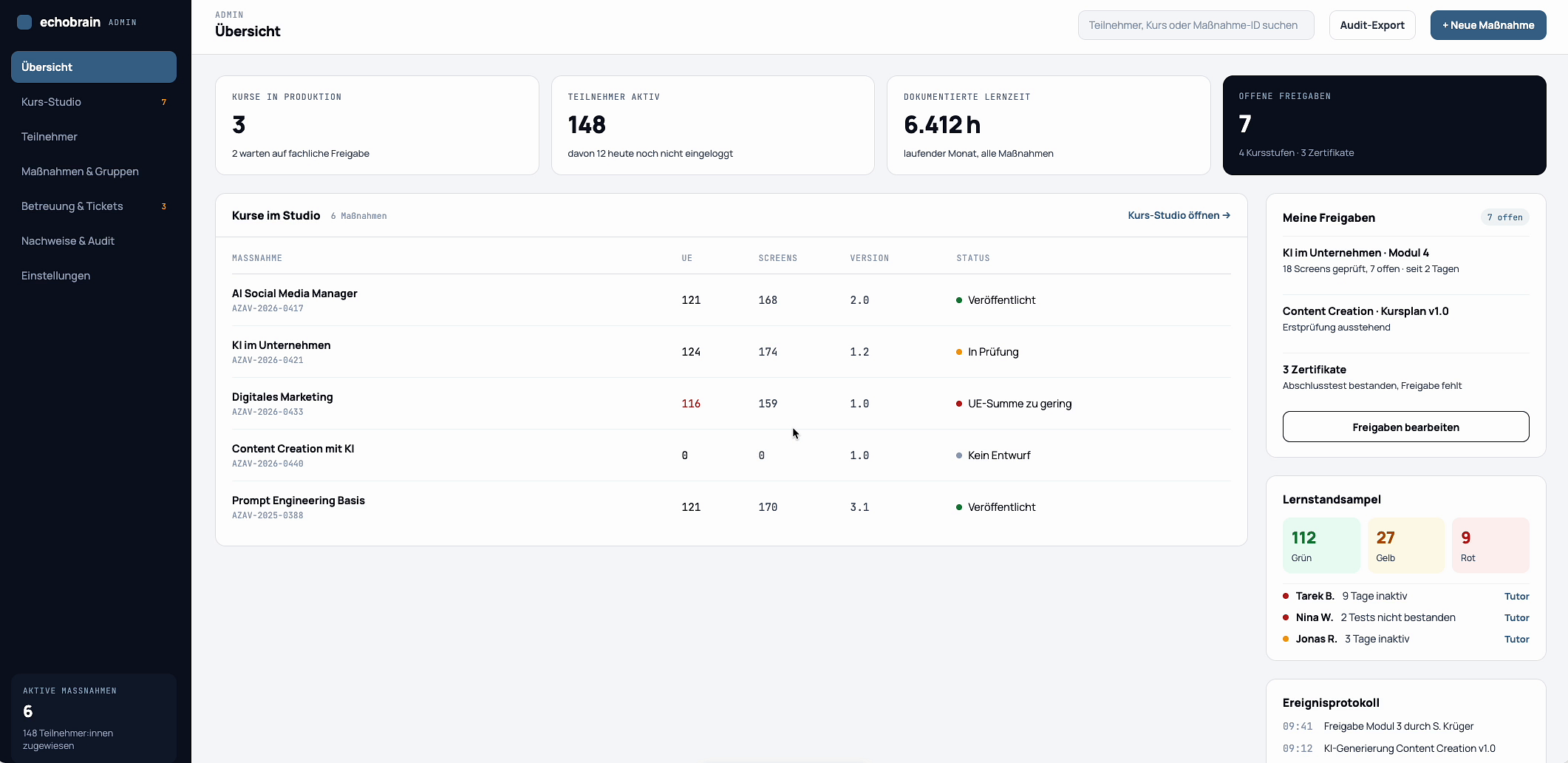
03
Dashboard Overview
The administrative dashboard displays key metrics such as courses in production, active participants, documented learning hours, and a list of courses in the studio.
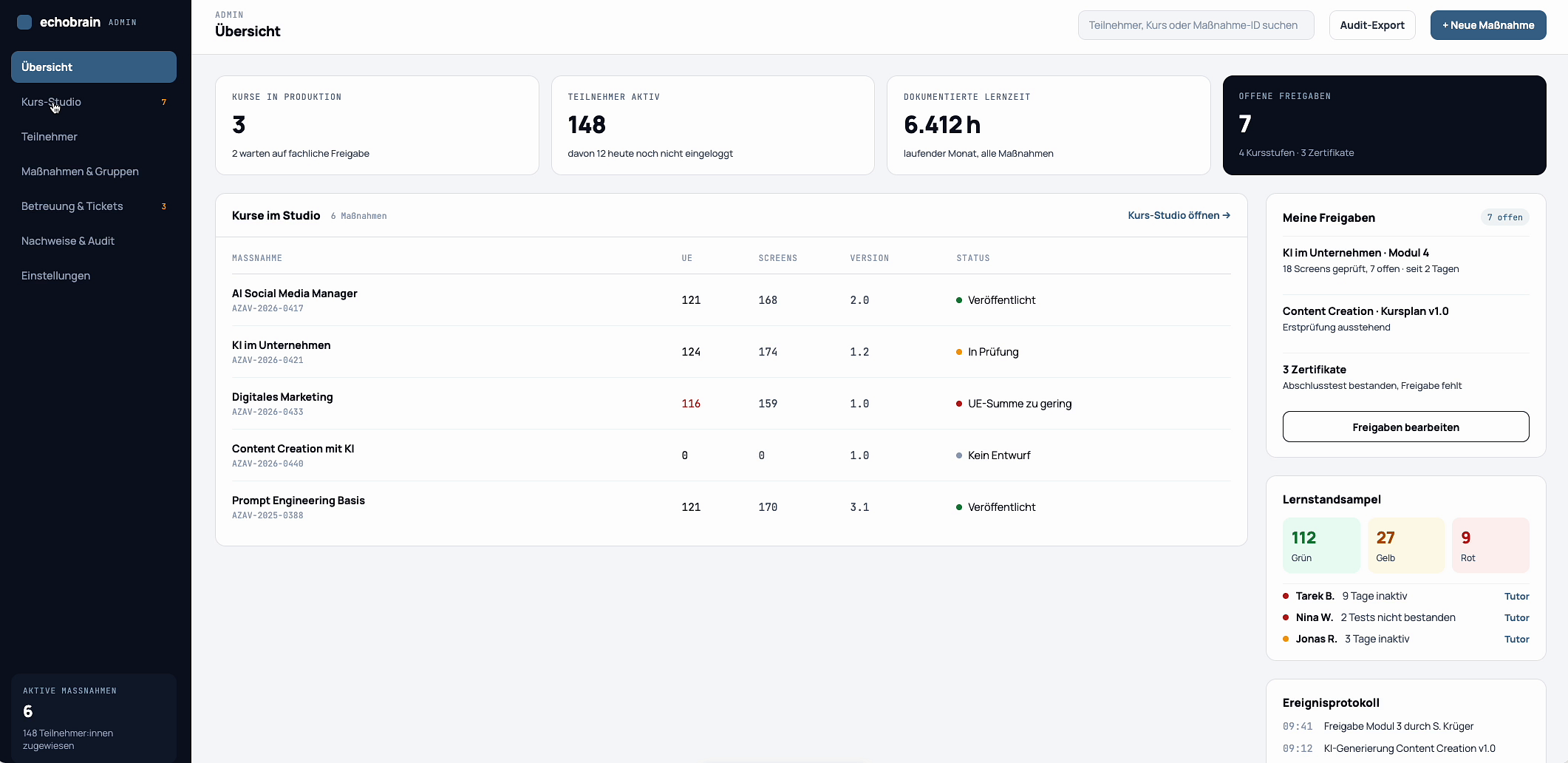
04
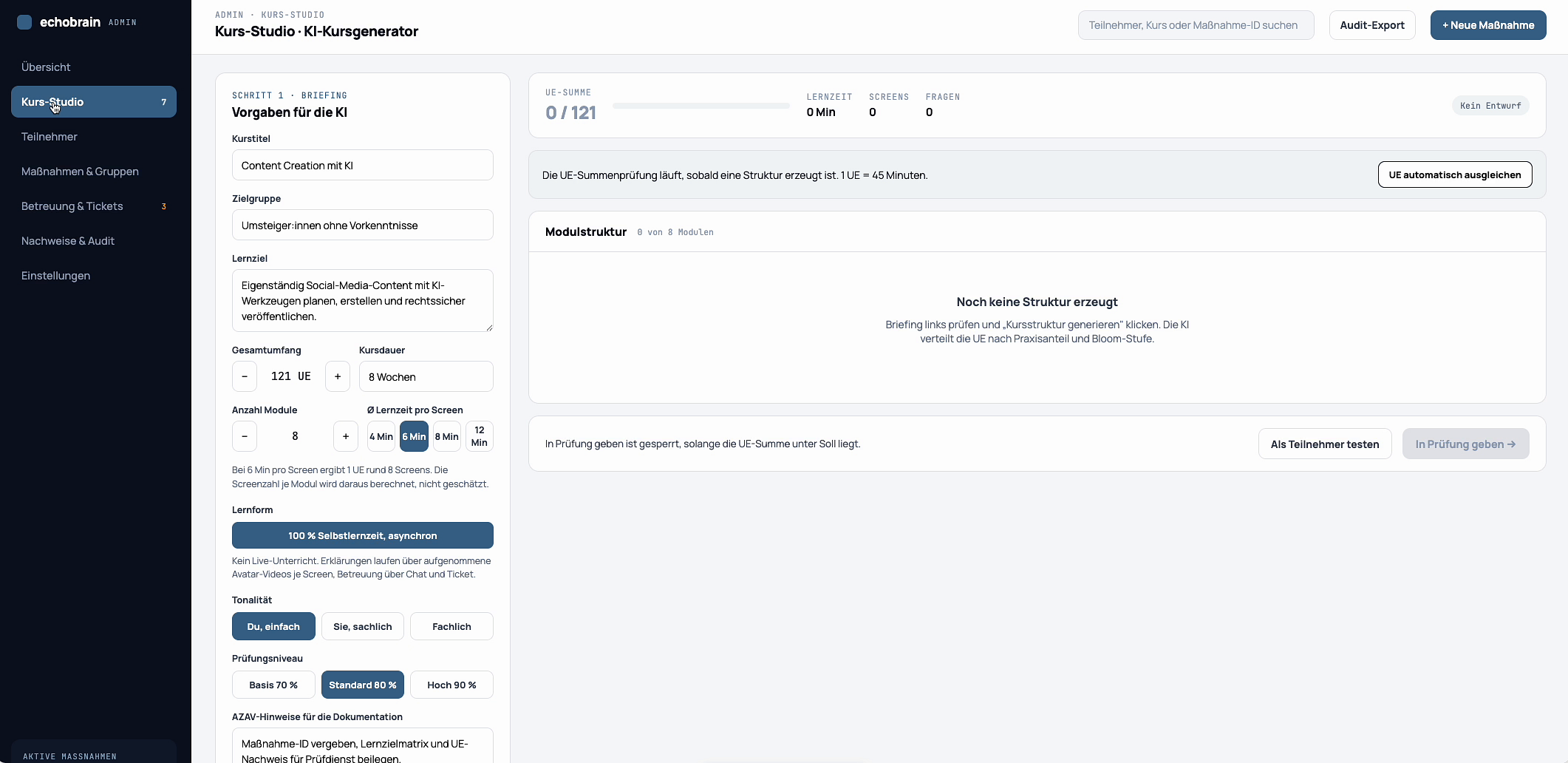
Course List Navigation
A specific course, “Content Creation mit KI”, is selected from the list of courses available in the studio.
05
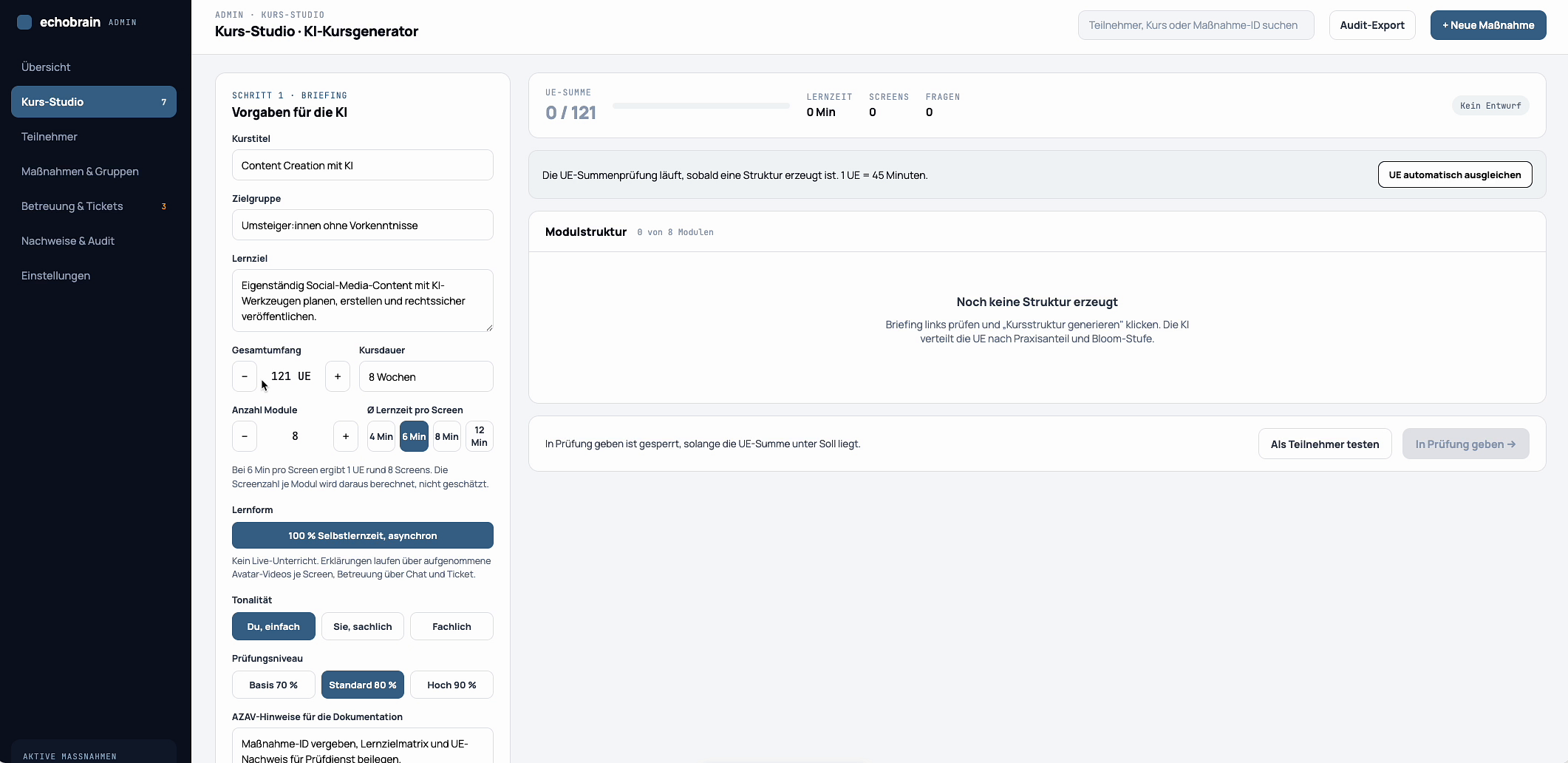
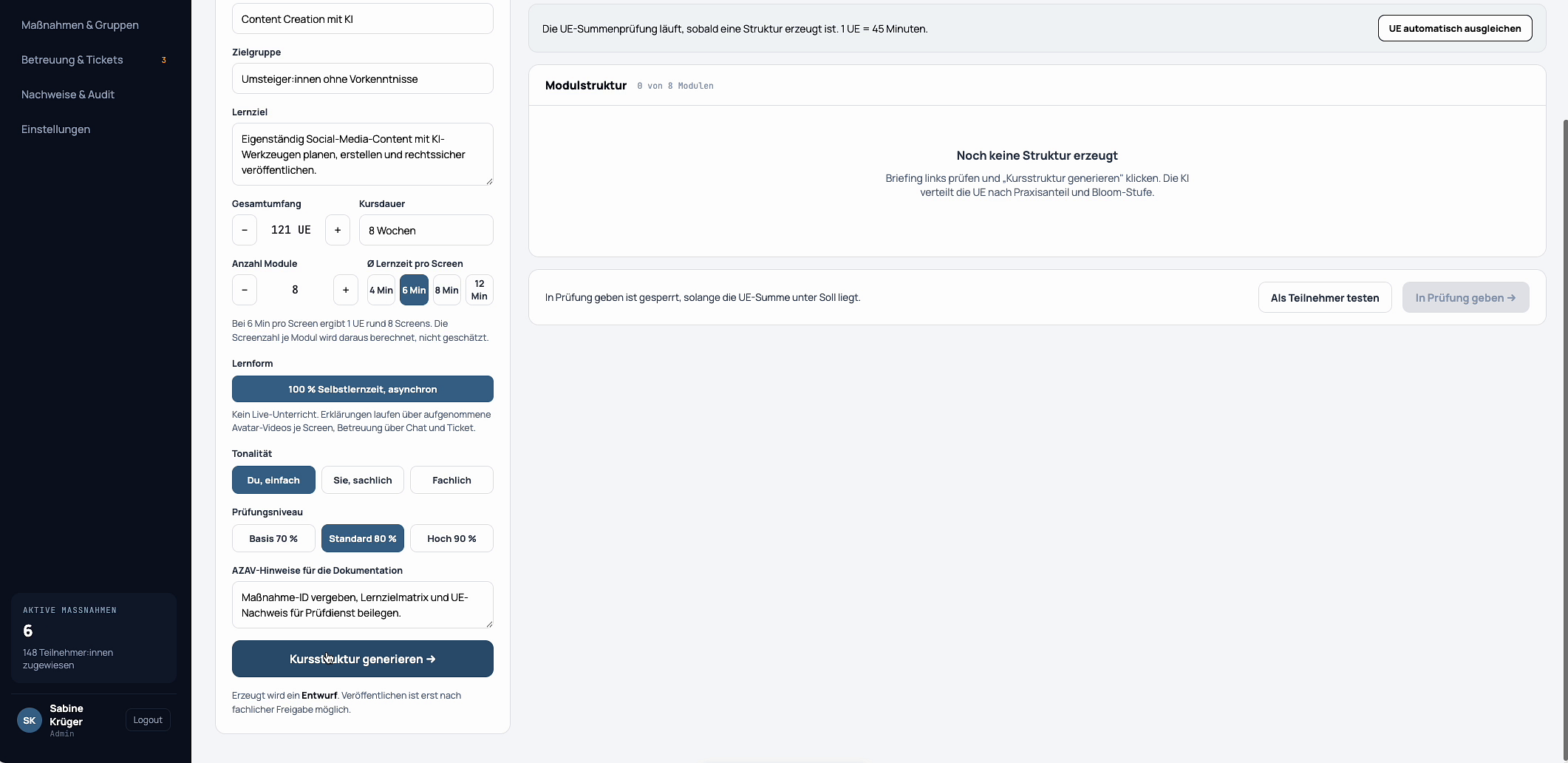
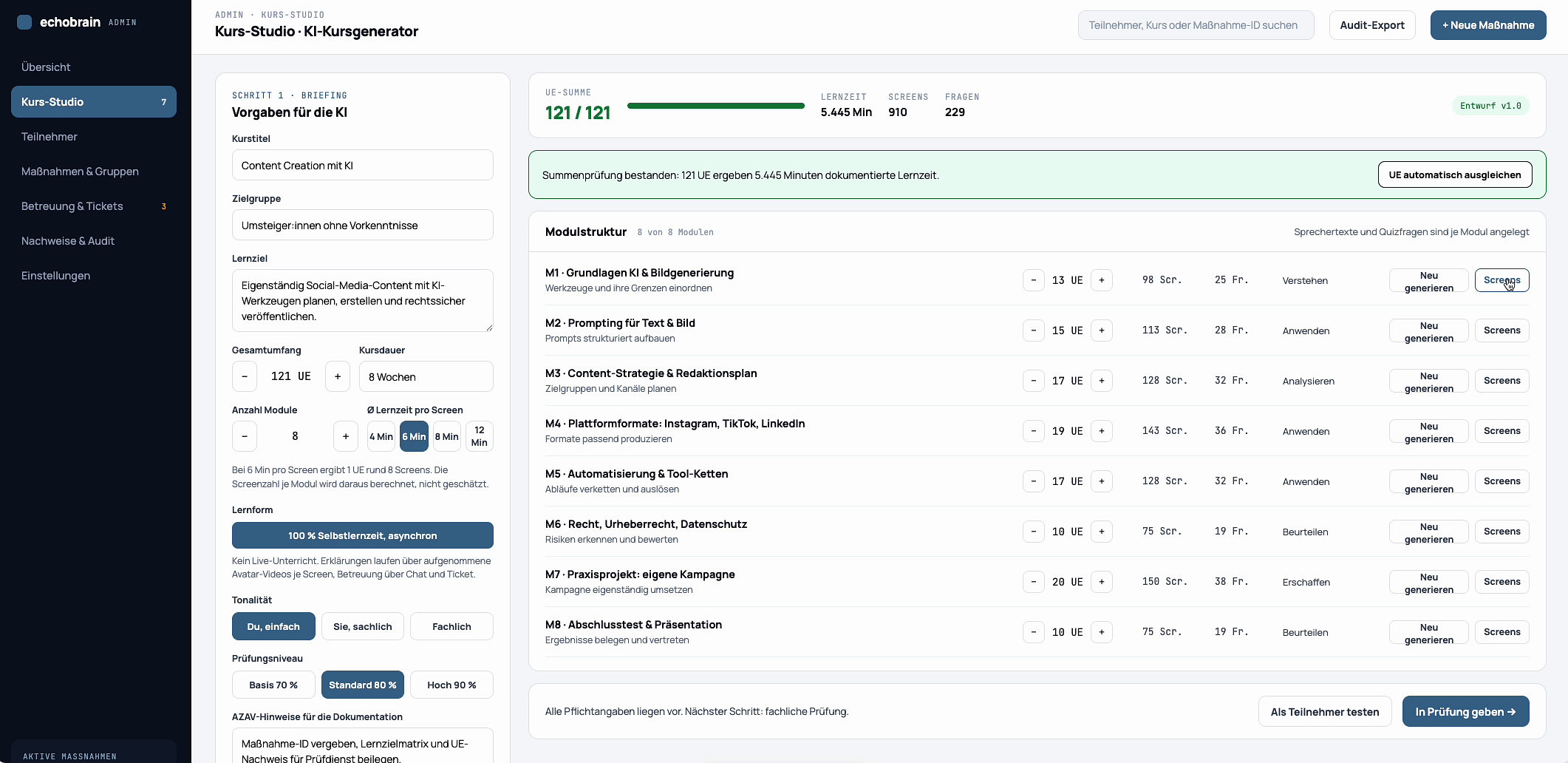
Course Generator Interface
The primary course generator view, initially showing an empty module structure on the right and various configuration options on the left.
06
Adjusting Course Duration
Modifying the total duration of the course by adjusting the number of weeks in the designated input field.
07
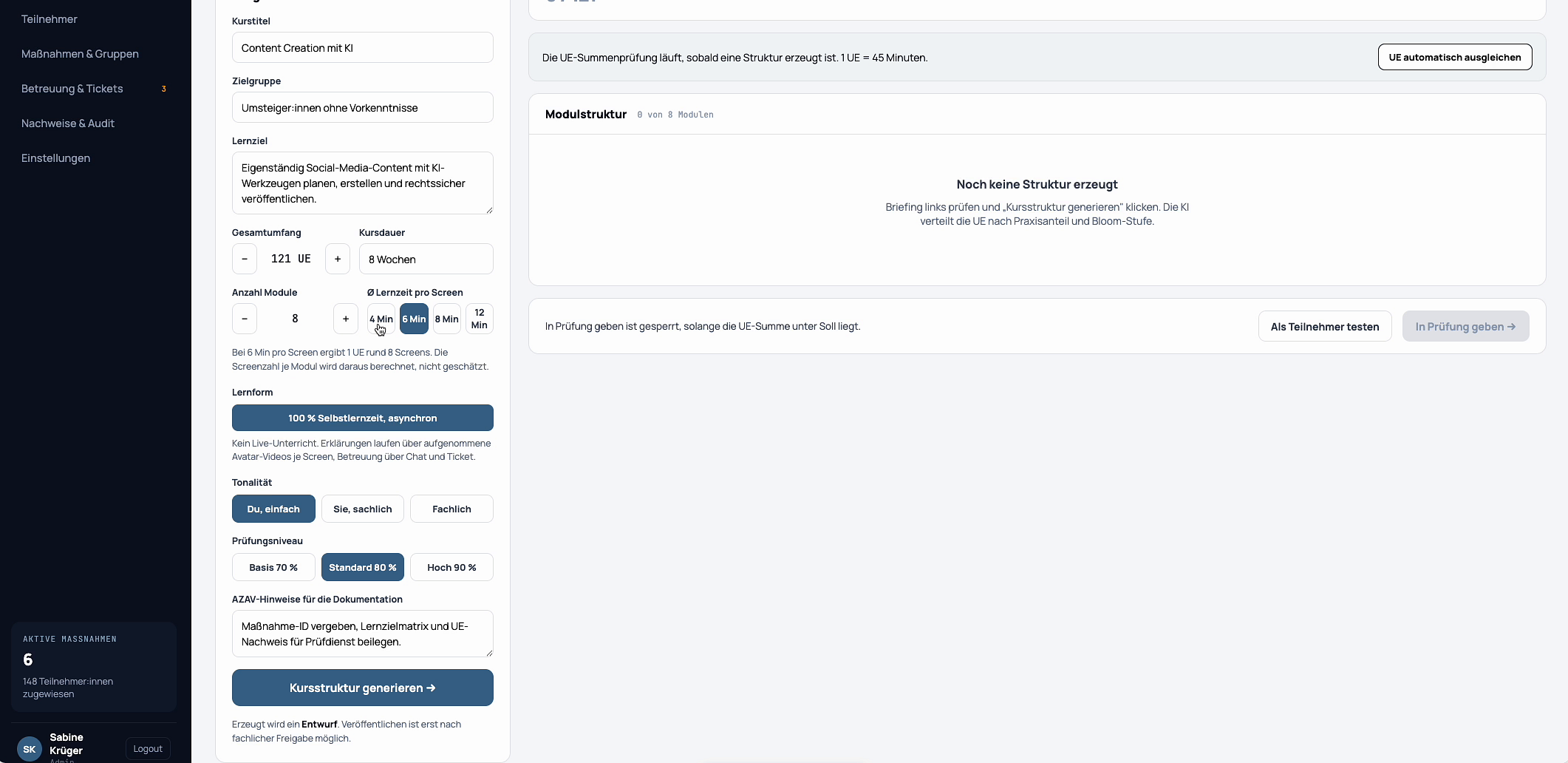
Setting Learning Pace
An option to define the estimated learning time per screen, with “8 Min” currently selected.
08
Selecting Exam Level
Choosing the required passing score for the examination, with “Standard 70 %” highlighted.
09
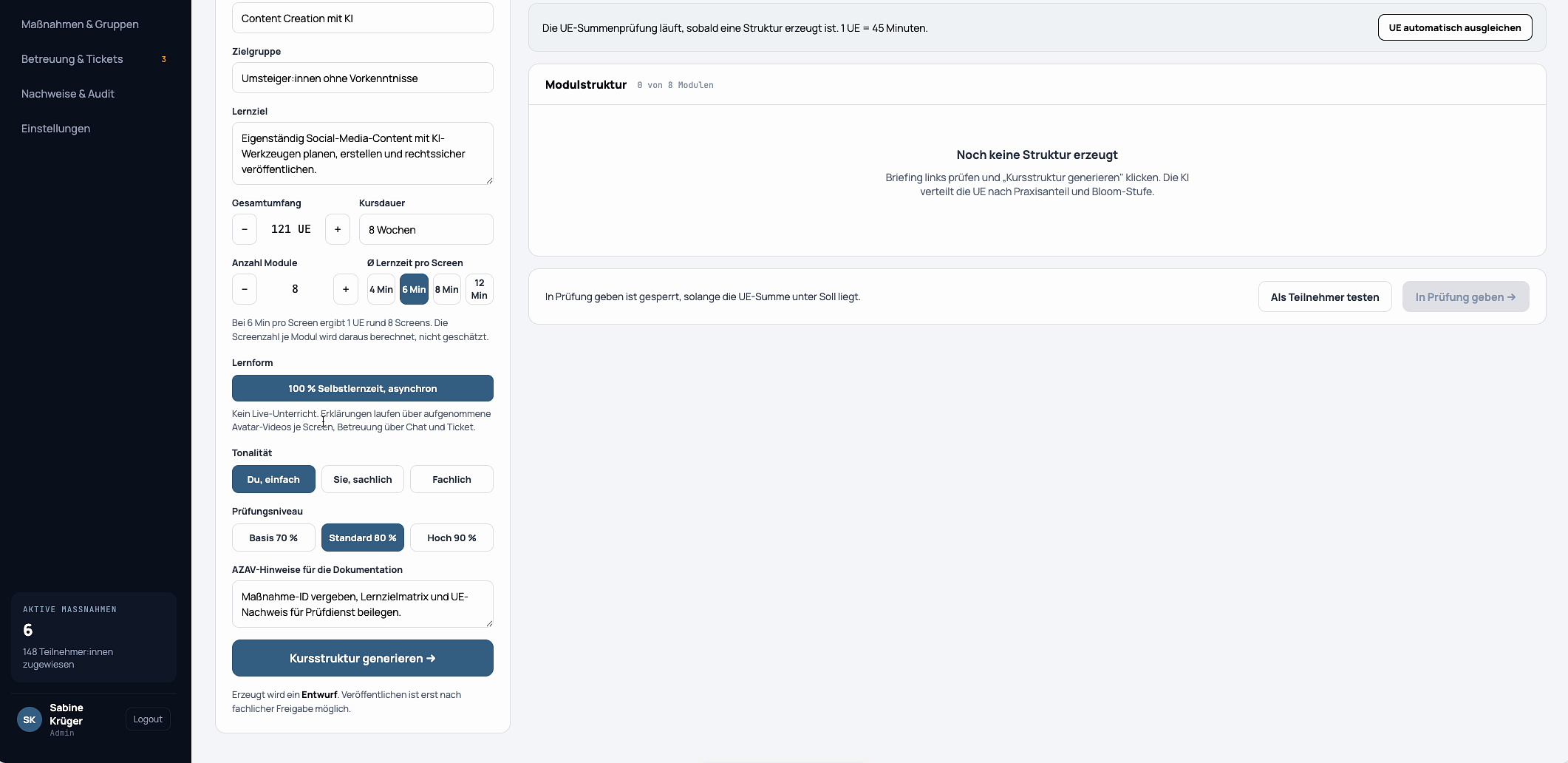
Generate Course Structure
Initiating the AI-driven process to automatically generate the modular structure of the course based on the provided inputs.
10
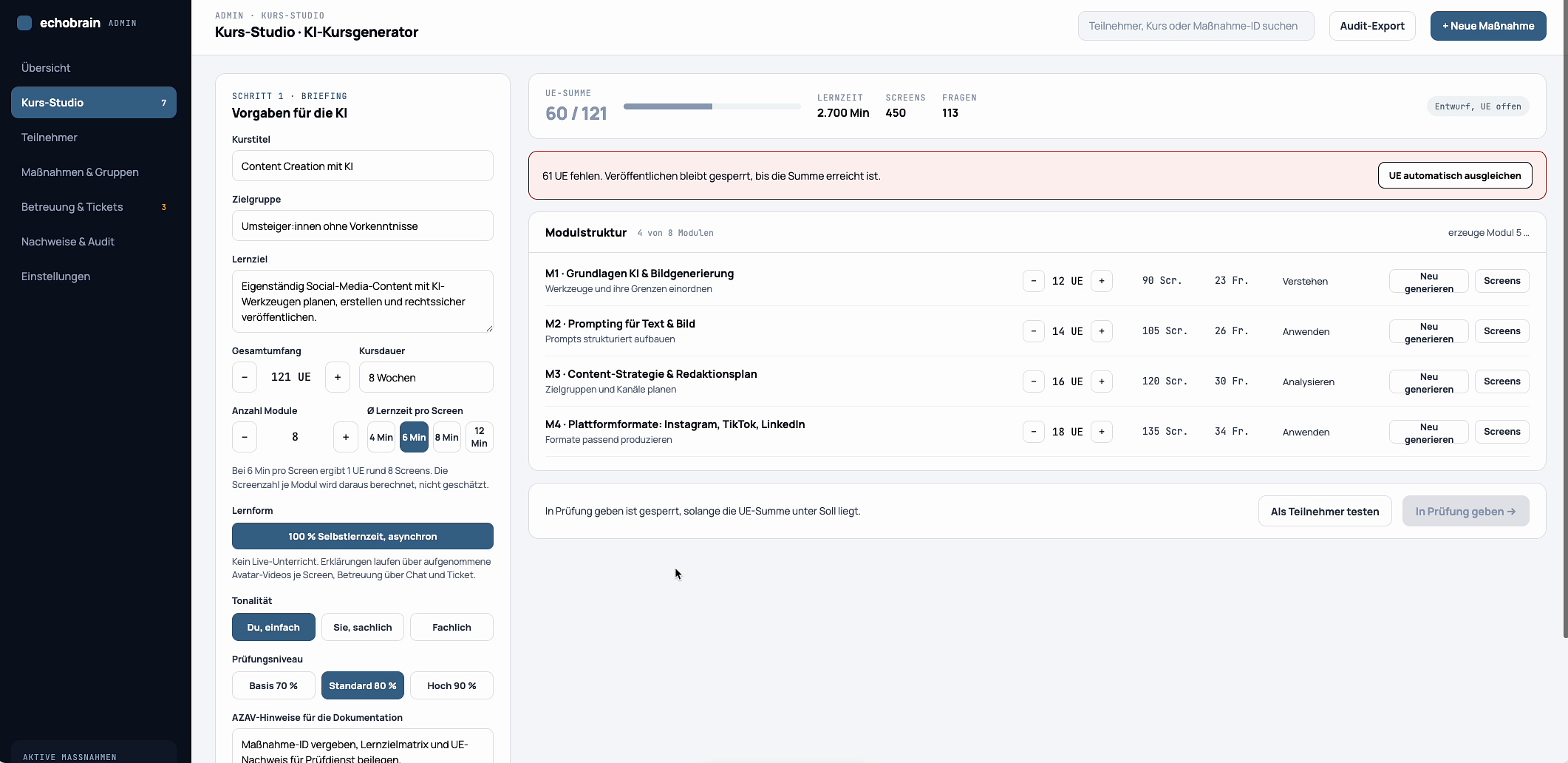
Generated Modules Displayed
The course generator now displays the newly generated module structure, including titles, estimated screens, and an initial duration.
11
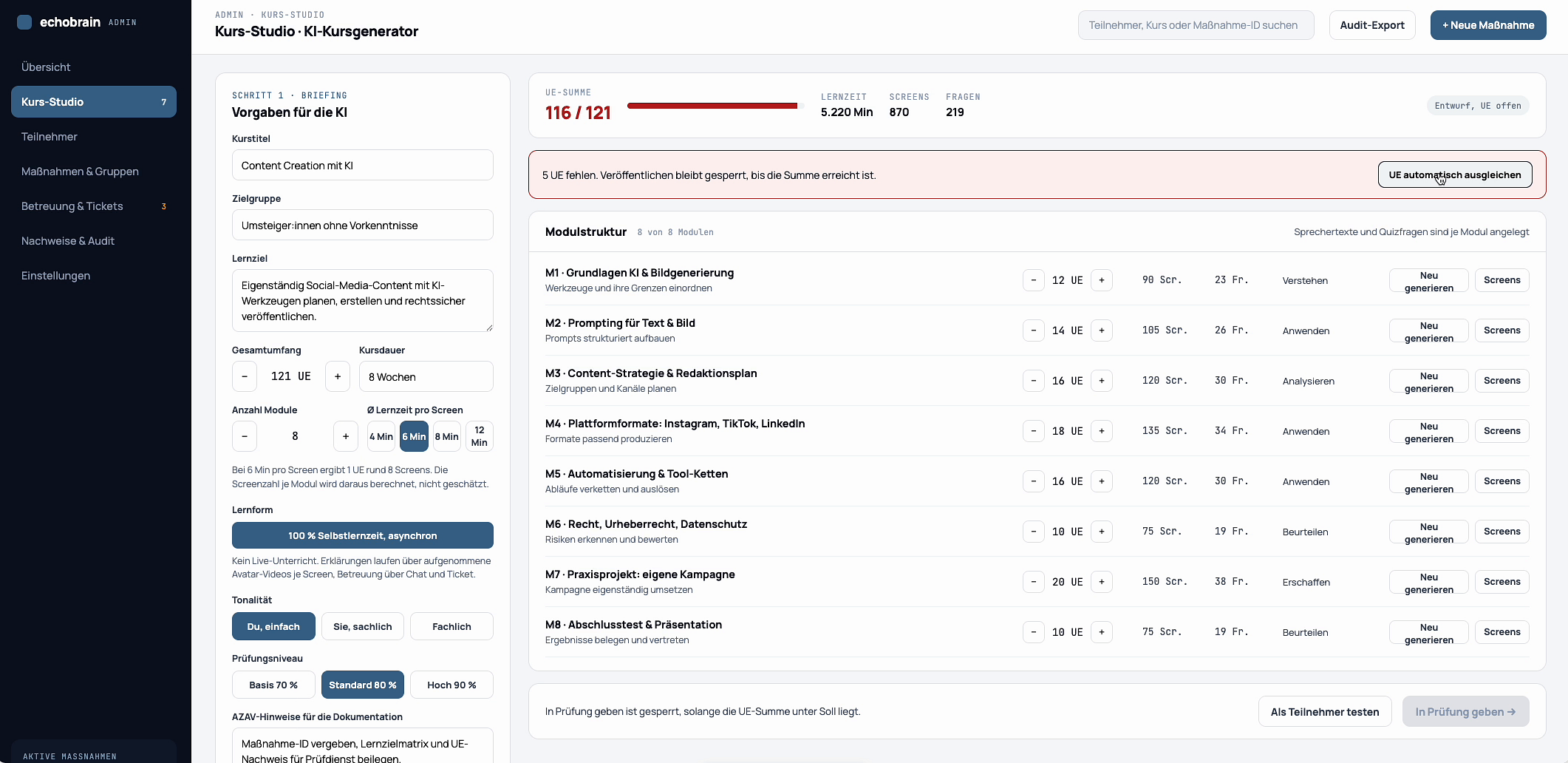
Auto-Adjusting Duration
A notification indicates that certain screens were blocked, and an option to automatically adjust module lengths to fit the total estimated learning time is available.
12
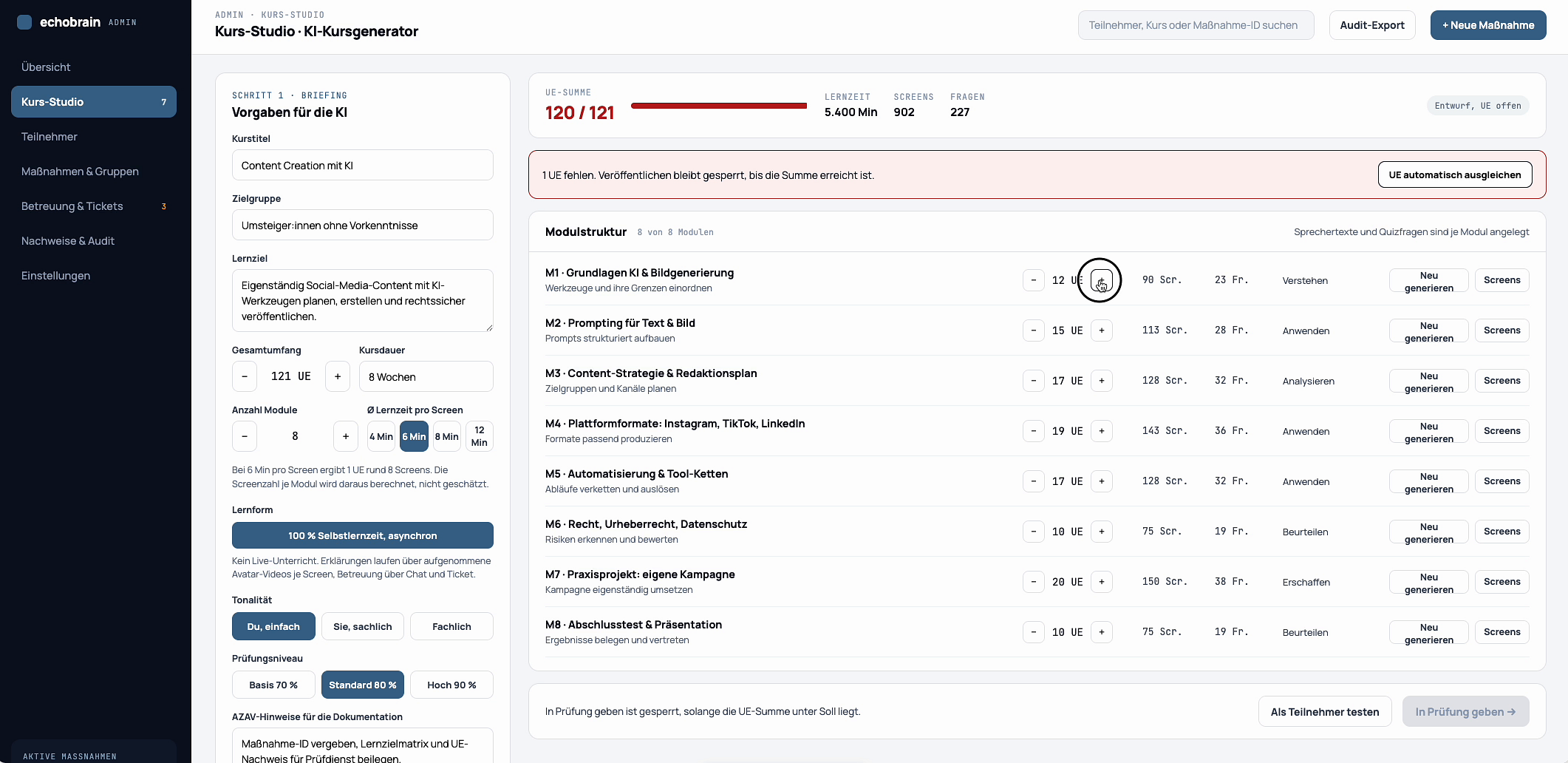
Individual Module Screen Count
Manually adjusting the number of screens within a specific module by interacting with an input field.
13
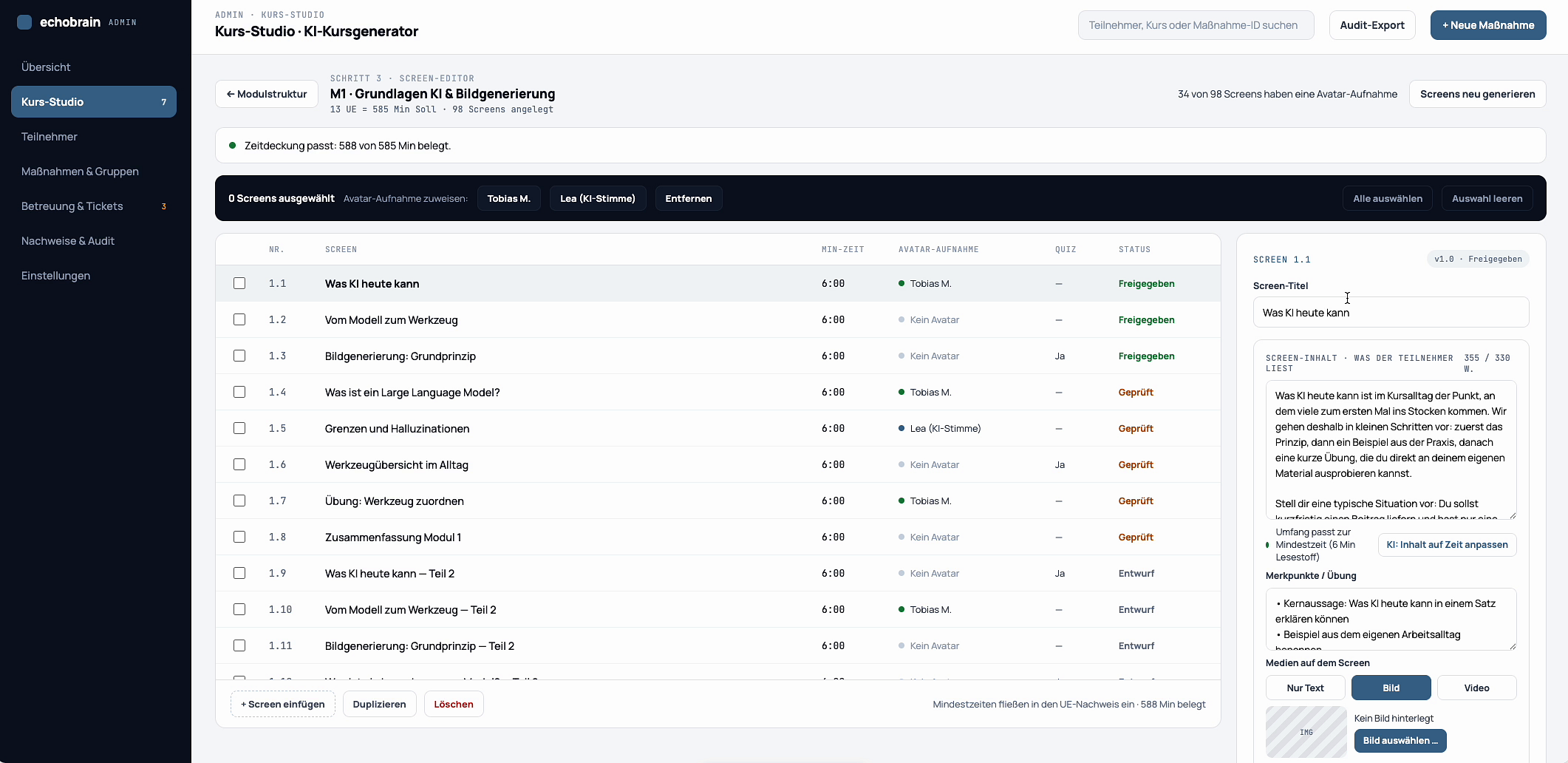
Module Content List
A detailed view showing all individual screens within a selected module, including their titles, associated media, and status.
14
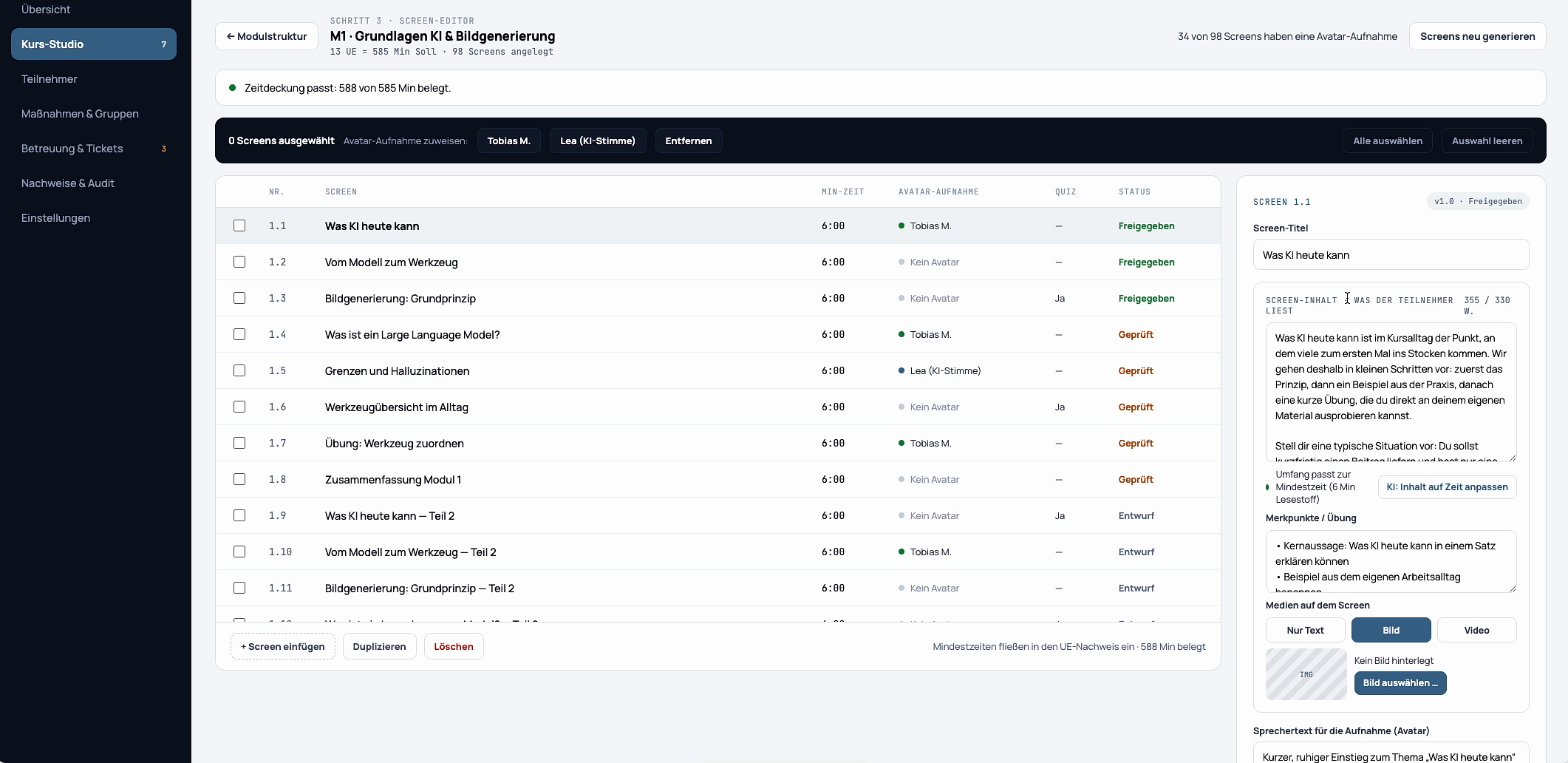
Screen Preview and Edit
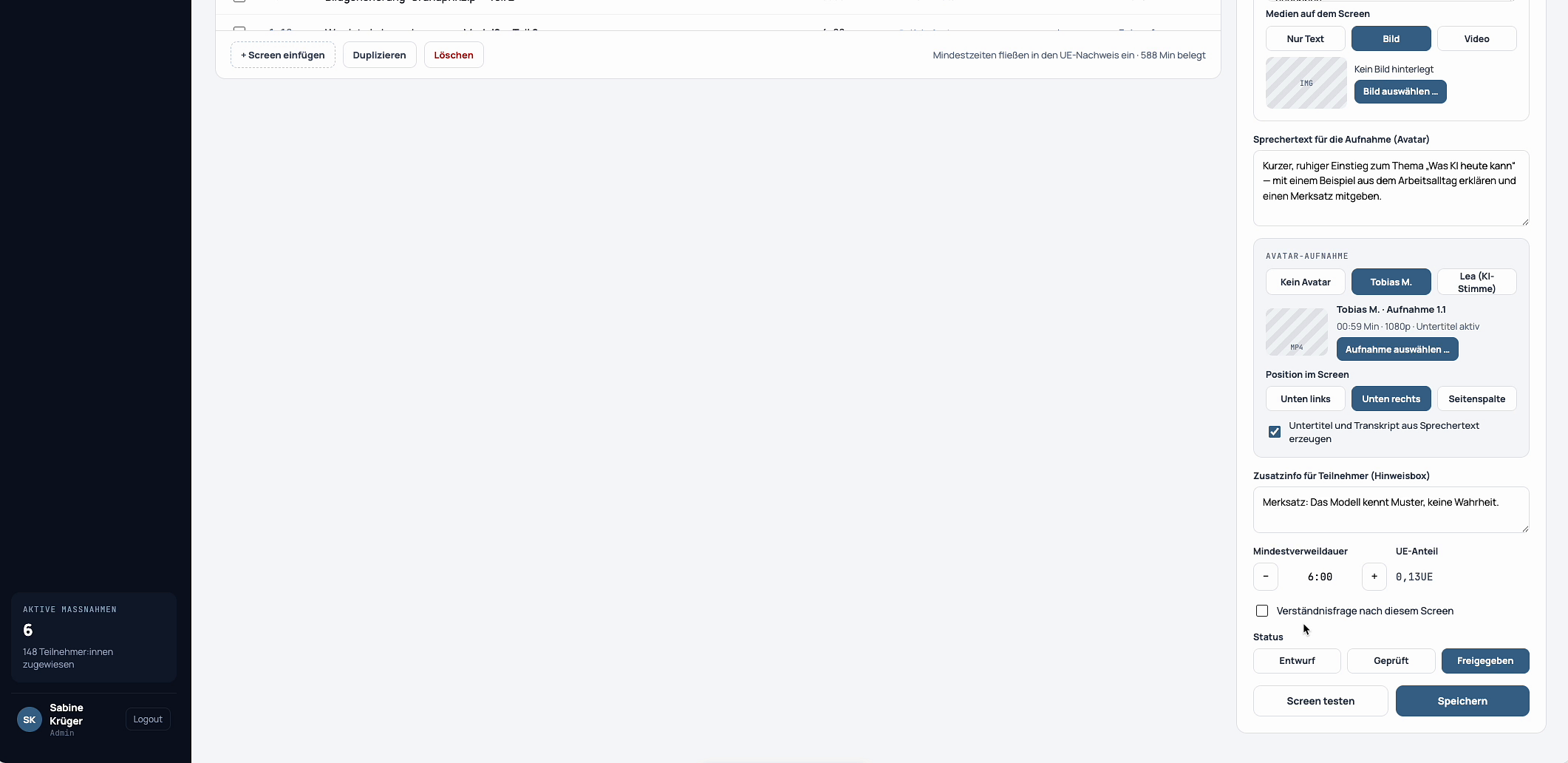
The right sidebar displays the current screen’s content details and options for editing its title, description, and media.
15
Editing Screen Title
The screen title input field in the right sidebar is being actively modified with new text.
16
Choosing Media
A dialog window opens, offering options to upload a file, select from a media library, or create new media using AI.
17
AI Image Generation
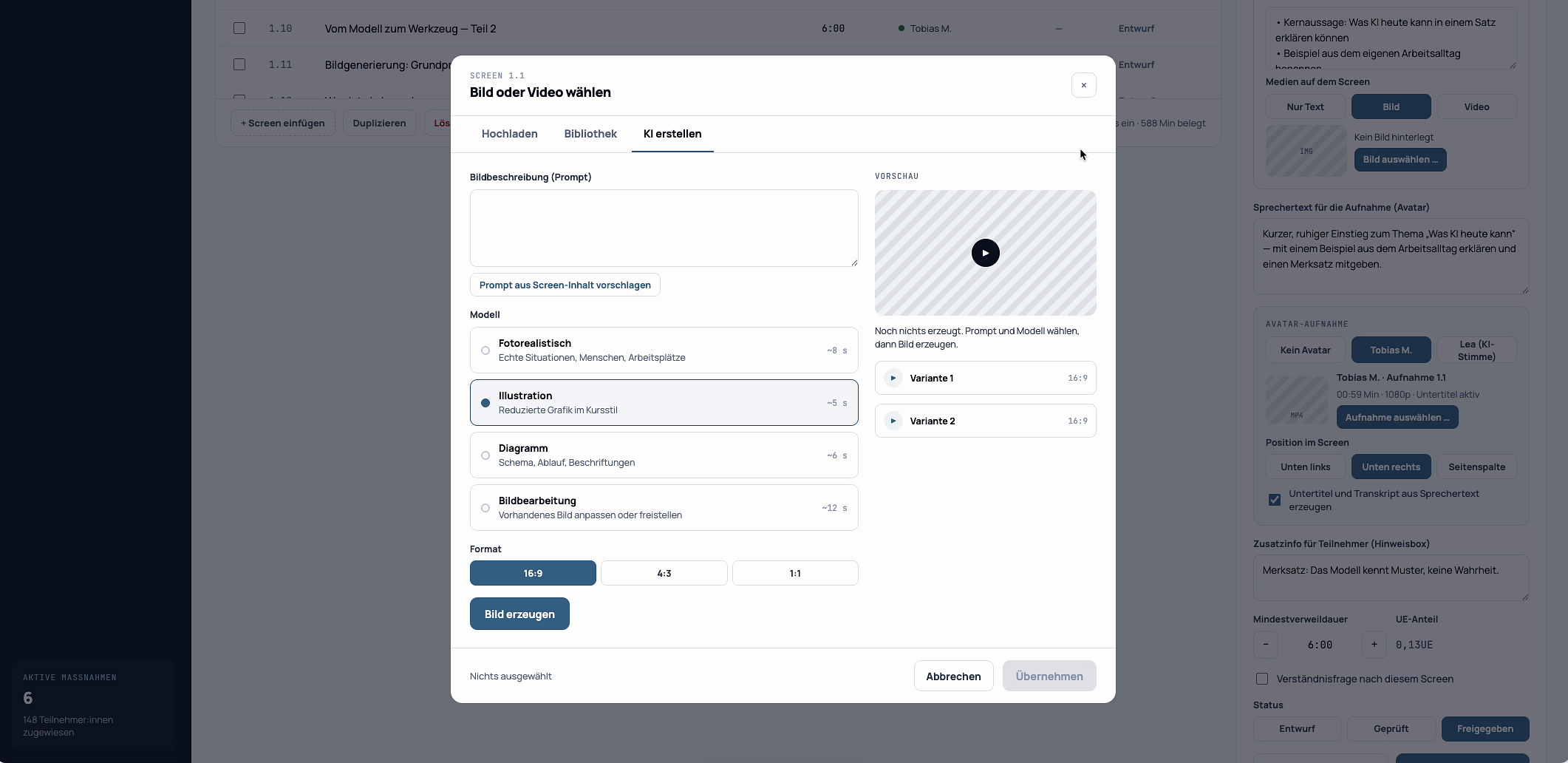
The interface for generating AI images, providing prompts for descriptions, model selection, and format options.
18
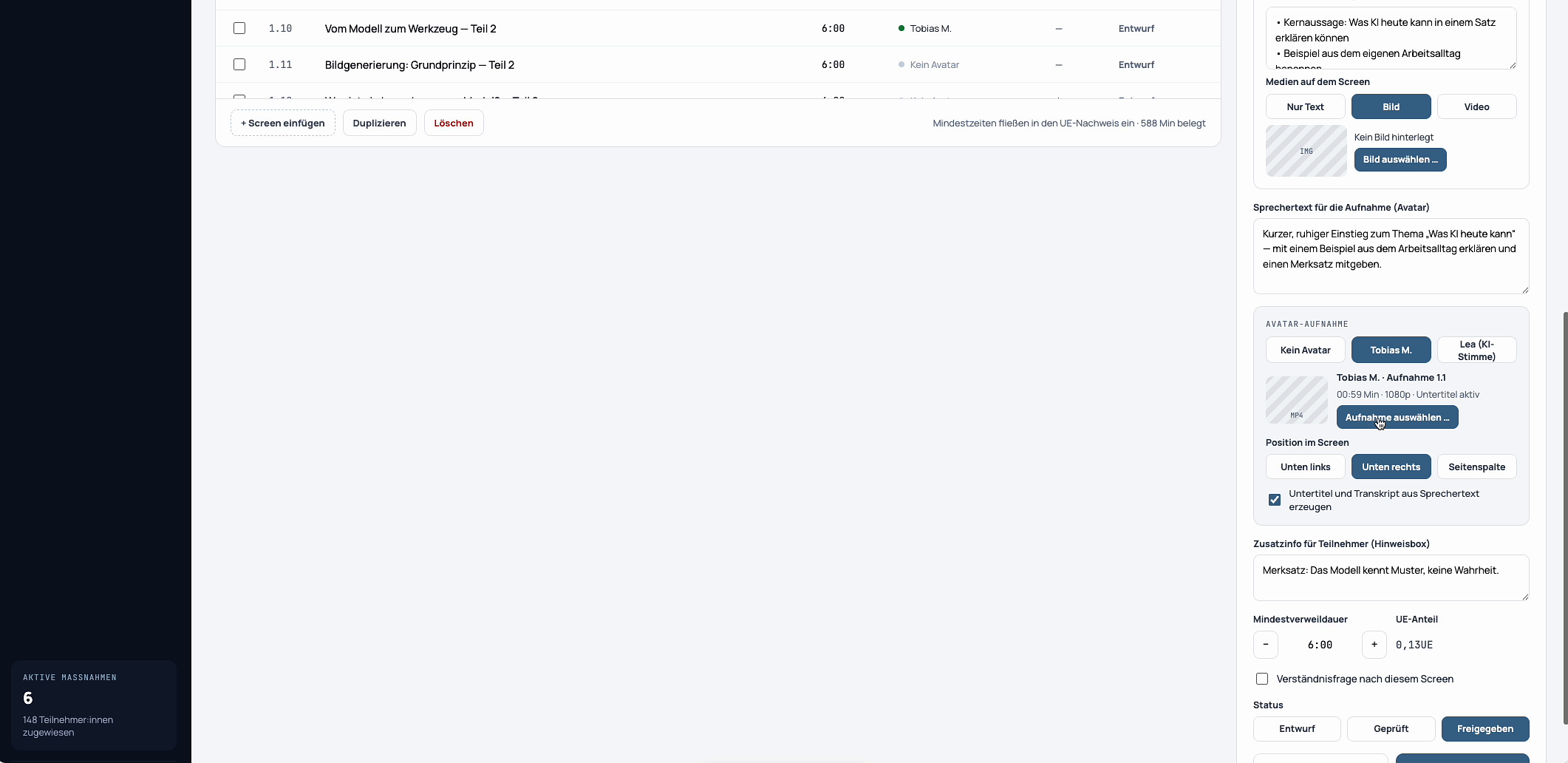
Saving Screen Changes
After edits, the “Speichern” button in the right sidebar is clicked to apply all modifications to the screen.
19
Screen with Audio Playback
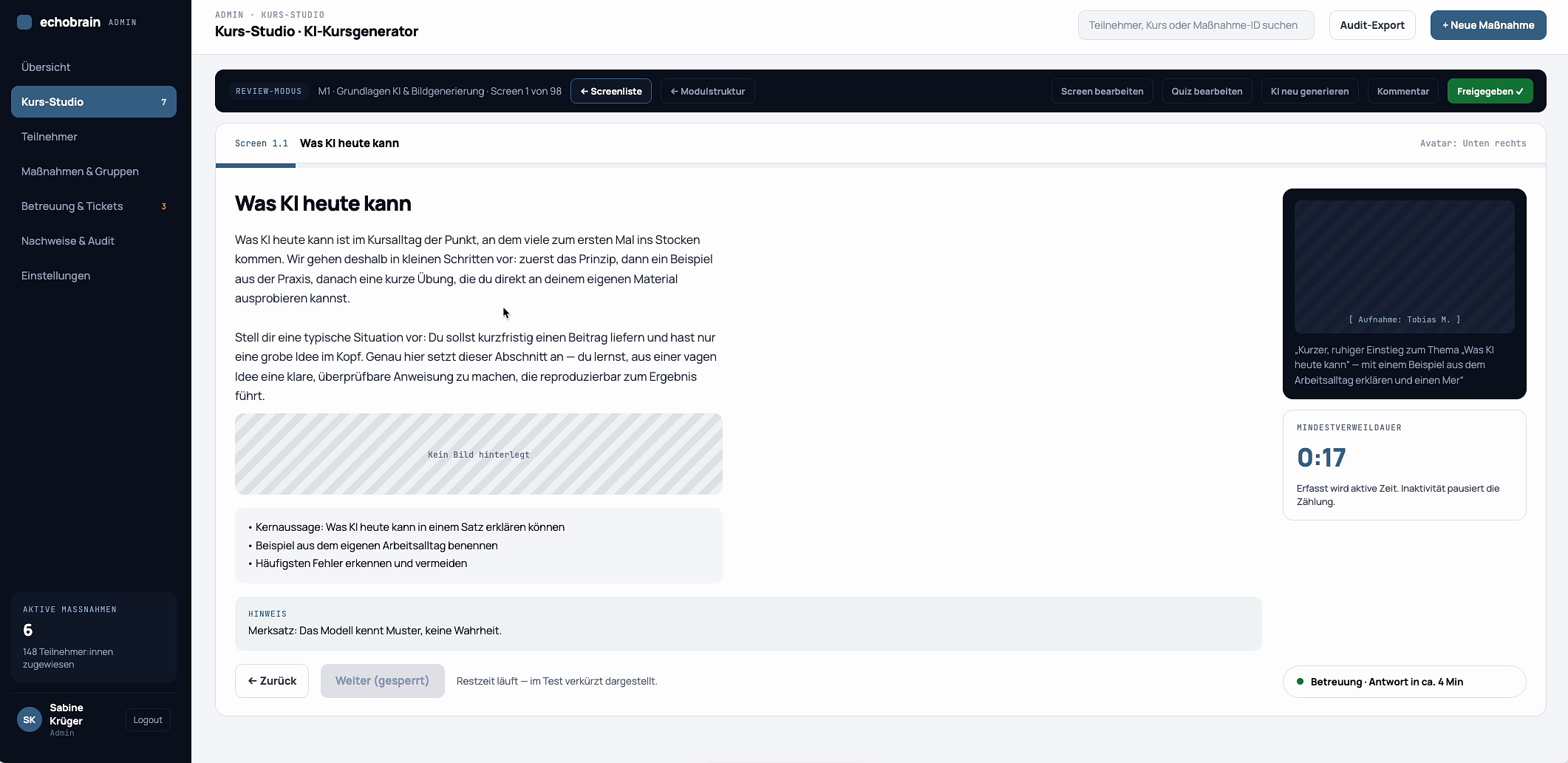
The screen is shown with its text content, an associated avatar, and an audio playback timeline actively running.
·
Zusammenfassung: Login und Dashboard, Kursstruktur generieren, Module anpassen, einzelne Screens bearbeiten und Medien per KI erzeugen: ein durchgehender Workflow ohne Werkzeugwechsel.Summary: login and dashboard, generating the course structure, customising modules, editing individual screens and creating media with AI: one continuous workflow with no tool switching.
Beispiel: der Weg zum eigenen KI-WorkflowExample: the path to a productive AI workflow
Die Gesamtqualifikation führt in 16 aufeinander aufbauenden Modulen vom ersten Verständnis bis zur sicheren Anwendung im Alltag oder Beruf.The complete programme uses 16 consecutive modules to progress from first understanding to confident use in everyday life or work.
Der Lernweg ist klar aufgebaut: Grundlagen zuerst, danach Anwendung, Sicherheit und das eigene Praxisprojekt.The learning path is clearly structured: fundamentals first, followed by application, safety and an individual practical project.
StartStartKI verstehenUnderstand AI
3
GrundlagenFundamentals
Was KI kann, wo Grenzen liegen und wie man gute Fragen stellt.What AI can do, where limits are and how to ask better questions.
2
Content & MedienContent & media
Texte, Bilder, Ideen, Präsentationen und kreative Arbeitsweisen.Text, images, ideas, presentations and creative workflows.
5
Eigene AnwendungPersonal use cases
KI auf persönliche Ziele, berufliche Aufgaben oder Teamprozesse übertragen.Transfer AI to personal goals, professional tasks or team processes.
01
Ziel klärenClarify goal
Was soll KI im eigenen Alltag oder Beruf erleichtern?What should AI make easier in everyday life or work?
02
Kompetenz aufbauenBuild skills
Die 16 Lernschritte verbinden Wissen, Anwendung, Sicherheit und Verantwortung.The 16 learning steps connect knowledge, application, safety and responsibility.
03
Praxis aufbauenBuild practice
Aus Wissen werden Routinen, Prompts und eigene kleine KI-Workflows.Knowledge becomes routines, prompts and personal AI workflows.
Kontakt & AnfrageContact & enquiry
KI-Schulung, Lernziel oder Interesse an späteren Modulen: schreiben Sie kurz, worum es geht. Antwort in der Regel am selben Werktag.AI training, learning goal or interest in future modules: tell us briefly what you need. We usually reply the same working day.
Danke, Ihre Anfrage ist unterwegs.Thank you, your enquiry is on its way.
Wir antworten in der Regel am selben Werktag per E-Mail.We usually reply the same working day by email.
ImpressumLegal notice
ANBIETERPROVIDER
Ewando LLC 30 N Gould St, Ste N Sheridan, WY 82801, USA
Geschäftsführung: Peter Kuhlmann · Registrierung: State of Wyoming, USAManagement: Peter Kuhlmann · Registration: State of Wyoming, USA
HAFTUNG FÜR INHALTELIABILITY FOR CONTENT
Die Inhalte dieser Seite werden mit Sorgfalt erstellt. Für die Richtigkeit, Vollständigkeit und Aktualität der Kurs-, Plattform- und Preisangaben übernehmen wir keine Gewähr. Für Inhalte verlinkter externer Seiten sind ausschließlich deren Betreiber verantwortlich.We compile the content of this site with care. We accept no liability for the accuracy, completeness or timeliness of course, platform and pricing information. Operators of linked external sites are solely responsible for their content.
DatenschutzerklärungPrivacy policy
01 / VERANTWORTLICHERCONTROLLER
Ewando LLC 30 N Gould St, Ste N, Sheridan, WY 82801, USA info@ewando.de
02 / DATEN, DIE WIR VERARBEITENDATA WE PROCESS
Kontaktdaten (Name, E-Mail), Angaben aus Anfragen, mögliche Kursfortschritte und Zertifikatsdaten, Zahlungsdaten über unseren Zahlungsdienstleister sowie Server-Logfiles.Contact data (name, email), enquiry details, possible course progress and certificate records, payment data via our payment provider, and server log files.
03 / RECHTSGRUNDLAGENLEGAL BASIS
Vertragserfüllung (Art. 6 Abs. 1 lit. b DSGVO) für Plattform und Kurse, berechtigtes Interesse (lit. f) für Betrieb und Sicherheit, Einwilligung (lit. a) für Statistik-Cookies und Newsletter.Performance of contract (Art. 6(1)(b) GDPR) for platform and courses, legitimate interest (f) for operation and security, consent (a) for analytics cookies and newsletters.
04 / COOKIES
Notwendige Cookies halten Ihre Sitzung und Spracheinstellung. Statistik-Cookies setzen wir nur nach Zustimmung im Cookie-Banner; die Auswahl lässt sich jederzeit widerrufen.Essential cookies keep your session and language setting. Analytics cookies are only set after consent in the cookie banner; you can withdraw your choice at any time.
05 / IHRE RECHTEYOUR RIGHTS
Auskunft, Berichtigung, Löschung, Einschränkung, Datenübertragbarkeit und Widerspruch: eine E-Mail an info@ewando.de genügt. Daten außerhalb der EU werden auf Basis von Standardvertragsklauseln übertragen.Access, rectification, erasure, restriction, portability and objection: just email info@ewando.de. Transfers outside the EU are based on standard contractual clauses.